Understanding Your Invoice
Where to download a Node4 PDF invoice, what each line item means, and why your statement shows the amount paid rather than the subtotal.
Where to find invoices
Open Orders in the dashboard. It shows your order history and the itemized invoices generated for completed purchases and renewals. Each invoice has a sequential number in the form INV-<number> and downloads as a PDF with your billing details and the full breakdown, which is the document to use for expense claims and bookkeeping.
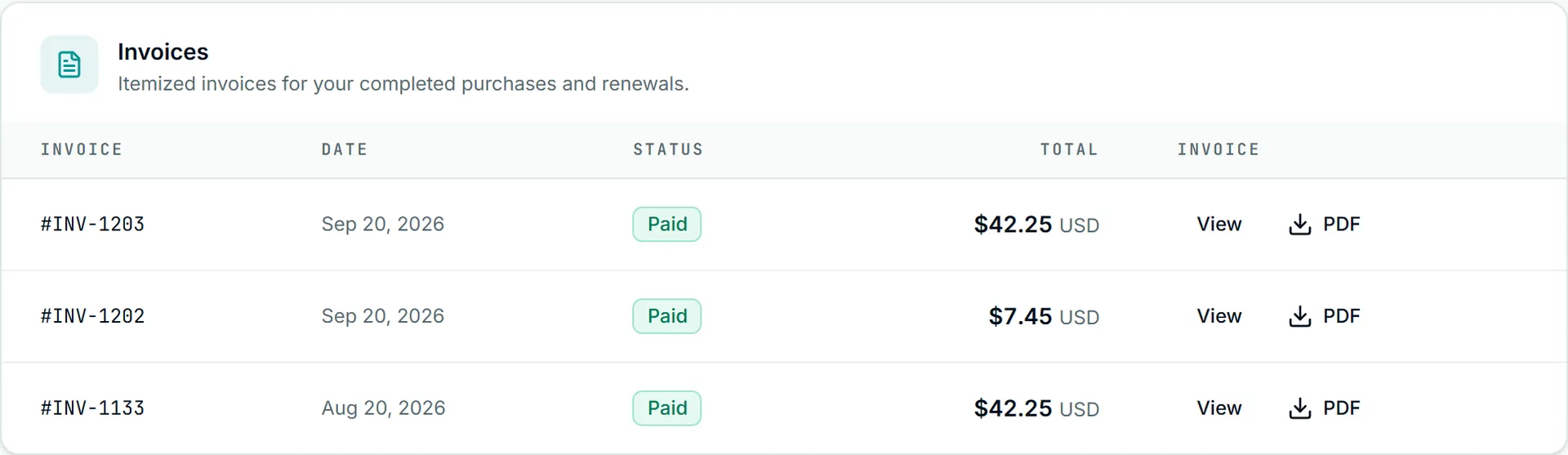
For accounting scripts, the management API lists the same invoices at /billing/invoices and serves each PDF at /billing/invoices/{id}/pdf, with a key that holds the read:billing permission.
Older orders may carry a simpler invoice with a single description line. That is an earlier format, not missing data; newer charges use the line-item layout below.
Line items
Each line has a description, a quantity, a unit amount and a line total. The lines that can appear:
- Subscription. The plan name and the charge for one billing period. On a renewal invoice this is usually the only line. If the plan name is not the one you expect to be on, open a ticket; this line is the record of what you were billed for.
- Bandwidth top-up. Each pack purchased is its own line. Top-ups are one-time charges, so they appear on the invoice for that purchase, never on a renewal. How top-ups work and when they expire is in bandwidth top-ups.
- Extra IP slots. A one-time add-on that raises how many addresses your IP whitelist can hold. The whitelist authenticates every product, residential included, so a slot is useful whatever you hold. Like top-ups, slots appear on their own invoice at purchase time. See IP whitelisting best practices.
- Negative lines. A credit adjustment, such as a proration credit from an earlier plan change, appears as a line with a negative amount that reduces the subtotal. Plan changes are now handled by support, usually as a refund or a discount code rather than a proration, so recent invoices rarely carry one; see changing or upgrading your plan.
Totals
Under the lines, in order:
- Subtotal: the sum of every line above, including negative ones.
- Discount: a promo or discount code applied to this invoice.
- Account credit: balance already on your account. It is spent automatically only when you pay by Bitcoin, and only the rest is charged. Card and PayPal payments are charged in full and leave the balance untouched.
- Tax: if it applies to you; absent otherwise.
- Total: the invoice amount after those adjustments.
- Amount paid: what was collected.
The figure on your card or PayPal statement matches amount paid, not subtotal: a discount code lowers it, account credit does not, because card and PayPal never spend credit. On a Bitcoin payment the Account credit line shows how much of your balance was used, and the total is what was left to send. A Bitcoin invoice shows as paid once the payment settles on-chain, so there can be a delay between creating the payment and the invoice reflecting it.
An old invoice records what a period cost at the time. Current prices are on /pricing, so a difference between the two is history, not an error.
If something looks wrong
Open a support ticket from the dashboard and quote the invoice number; it identifies the charge faster than a date or an amount. For questions about the subscription behind the invoice (why a renewal happened, what canceling does to the next one), see subscription management. Short answers to the common billing questions (what a billing period is, which payment methods are accepted, what happens to unused allowance) are on the FAQ.