Automating Billing with the API
Script Node4 billing with the REST API, from monthly invoice PDF exports and the credit ledger to auto top-up and usage alert settings.
Four parts of Node4 billing can be scripted with an API key: invoice PDFs (GET /billing/invoices/{id}/pdf), the account credit balance and its ledger (GET /billing/credit), auto top-up (PUT /auto-topup) and usage alerts (PUT /alerts). This page shows each one with curl, Node.js and Python, then combines them into a monthly invoice export and a nightly billing check. Field lists and scopes are in the API reference.
Before you start
Create a key under Account Settings → API & Webhooks with only the scopes the script needs:
| Task | Scope |
|---|---|
| List invoices, download PDFs, read credit | read:billing |
| Read auto top-up and alert settings | read:subscription |
| Change auto top-up and alert settings | write:subscription |
An export job needs read:billing alone. Give write:subscription only to a script that is meant to change how auto top-up spends money, and keep it out of shared CI logs (API key security). The examples read the key from NODE4_API_KEY and need Node.js 18+ or Python 3.8+, with no extra packages.
List invoices
GET /billing/invoices returns the newest first, with limit (default 20, at most 100) and offset:
curl -H "Authorization: Bearer $NODE4_API_KEY" \
  "https://node4.io/api/v1/billing/invoices?limit=100&offset=0"
{
"success": true,
"data": {
"invoices": [
{
"id": 1001,
"invoiceNumber": 1001,
"status": "paid",
"billingReason": "subscription_renewal",
"currency": "usd",
"subtotalCents": 1000,
"discountCents": 0,
"creditAppliedCents": 0,
"taxCents": 0,
"totalCents": 1000,
"amountPaidCents": 1000,
"amountDueCents": 0,
"refundedCents": 0,
"subscriptionId": 812,
"issuedAt": "2026-10-01T00:04:12.000Z",
"paidAt": "2026-10-01T00:04:15.000Z",
"createdAt": "2026-10-01T00:04:12.000Z",
"pdfUrl": "/api/v1/billing/invoices/1001/pdf"
}
],
"limit": 100,
"offset": 0,
"hasMore": false
}
}Amounts are integers in cents. status is one of draft, open, paid, partially_refunded, refunded, void or uncollectible. Keep requesting the next offset while hasMore is true. What each total means, and why amountPaidCents is the figure on your statement, is explained in understanding your invoice.
Download an invoice PDF
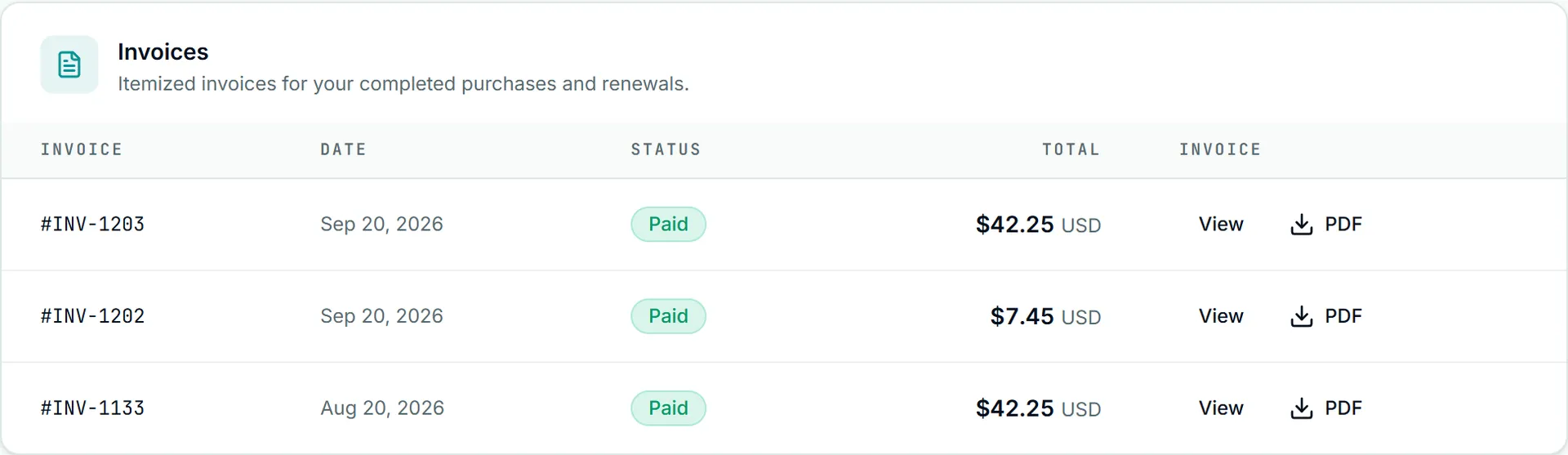
GET /billing/invoices/{id}/pdf returns application/pdf: the same file as the dashboard's PDF link, named Node4-INV-<number>.pdf in its Content-Disposition header. An error comes back as JSON instead, so check the status before writing the file. With curl, --fail stops a 404 body being saved as a broken PDF:
curl --fail -H "Authorization: Bearer $NODE4_API_KEY" \
  -o Node4-INV-1001.pdf "https://node4.io/api/v1/billing/invoices/1001/pdf"
Node.js: read the body as bytes, never as text, or the PDF is corrupted.
import { writeFile } from "node:fs/promises";

const res = await fetch("https://node4.io/api/v1/billing/invoices/1001/pdf", {
  headers: { Authorization: `Bearer ${process.env.NODE4_API_KEY}` },
});
if (!res.ok || !res.headers.get("content-type")?.startsWith("application/pdf")) {
  throw new Error(`PDF download failed: HTTP ${res.status} ${await res.text()}`);
}
await writeFile("Node4-INV-1001.pdf", Buffer.from(await res.arrayBuffer()));
Python: write resp.read() to a file opened in binary mode.
import os, urllib.request

req = urllib.request.Request(
    "https://node4.io/api/v1/billing/invoices/1001/pdf",
    headers={"Authorization": "Bearer " + os.environ["NODE4_API_KEY"]},
)
with urllib.request.urlopen(req) as resp, open("Node4-INV-1001.pdf", "wb") as f:
    f.write(resp.read())  # urlopen raises HTTPError on a 4xx or 5xx
An invoice id that does not exist, or that belongs to another account, is a 404 Invoice not found; a non-numeric id is a 400.
A monthly invoice export
This Node.js script saves the previous calendar month's invoices (by createdAt, in UTC) into invoices/YYYY-MM/, skips files it already has, and waits out a 429 using Retry-After. Run it from cron on the 1st of each month.
// export-invoices.mjs
import { access, mkdir, writeFile } from "node:fs/promises";

const BASE = "https://node4.io/api/v1";
const headers = { Authorization: `Bearer ${process.env.NODE4_API_KEY}` };
const now = new Date();
const start = new Date(Date.UTC(now.getUTCFullYear(), now.getUTCMonth() - 1, 1));
const end = new Date(Date.UTC(now.getUTCFullYear(), now.getUTCMonth(), 1));
const dir = `invoices/${start.toISOString().slice(0, 7)}`;

async function get(path) {
  for (;;) {
    const res = await fetch(BASE + path, { headers });
    if (res.status === 429) {
      const wait = Number(res.headers.get("retry-after") || 5);
      await new Promise((r) => setTimeout(r, wait * 1000));
      continue;
    }
    if (!res.ok) throw new Error(`${path}: HTTP ${res.status} ${await res.text()}`);
    return res;
  }
}

await mkdir(dir, { recursive: true });
for (let offset = 0; ; offset += 100) {
  const { data } = await (await get(`/billing/invoices?limit=100&offset=${offset}`)).json();
  for (const inv of data.invoices) {
    const created = new Date(inv.createdAt);
    if (created < start || created >= end) continue;
    if (inv.status === "draft" || inv.status === "void") continue;
    const file = `${dir}/Node4-INV-${inv.invoiceNumber}.pdf`;
    if (await access(file).then(() => true, () => false)) continue;
    const pdf = await get(`/billing/invoices/${inv.id}/pdf`);
    await writeFile(file, Buffer.from(await pdf.arrayBuffer()));
    console.log("saved", file);
  }
  const oldest = data.invoices.at(-1);
  if (!data.hasMore || (oldest && new Date(oldest.createdAt) < start)) break;
}
The same job in Python:
# export_invoices.py
import datetime as dt, json, os, time, urllib.error, urllib.request

BASE = "https://node4.io/api/v1"
HEADERS = {"Authorization": "Bearer " + os.environ["NODE4_API_KEY"]}

def get(path):
    while True:
        try:
            return urllib.request.urlopen(urllib.request.Request(BASE + path, headers=HEADERS))
        except urllib.error.HTTPError as e:
            if e.code != 429:
                raise
            time.sleep(int(e.headers.get("Retry-After", "5")))

def parse(ts):
    return dt.datetime.fromisoformat(ts.replace("Z", "+00:00"))

today = dt.datetime.now(dt.timezone.utc)
end = today.replace(day=1, hour=0, minute=0, second=0, microsecond=0)
start = (end - dt.timedelta(days=1)).replace(day=1)
folder = os.path.join("invoices", start.strftime("%Y-%m"))
os.makedirs(folder, exist_ok=True)

offset = 0
while True:
    data = json.load(get(f"/billing/invoices?limit=100&offset={offset}"))["data"]
    for inv in data["invoices"]:
        created = parse(inv["createdAt"])
        if not (start <= created < end) or inv["status"] in ("draft", "void"):
            continue
        path = os.path.join(folder, f"Node4-INV-{inv['invoiceNumber']}.pdf")
        if os.path.exists(path):
            continue
        with get(f"/billing/invoices/{inv['id']}/pdf") as resp, open(path, "wb") as f:
            f.write(resp.read())
        print("saved", path)
    invoices = data["invoices"]
    if not data["hasMore"] or (invoices and parse(invoices[-1]["createdAt"]) < start):
        break
    offset += 100
Each PDF counts as one request against your key's 60 per minute, so a large backlog pauses on 429 and then carries on.
Read your credit balance and ledger
GET /billing/credit returns the spendable balance and the most recent ledger entries (limit defaults to 20, at most 100):
curl -H "Authorization: Bearer $NODE4_API_KEY" "https://node4.io/api/v1/billing/credit?limit=50"{
"success": true,
"data": {
"balanceCents": 450,
"currency": "usd",
"entries": [
{ "id": 77, "type": "spend", "amountCents": -500, "balanceAfterCents": 450,
"description": "Applied to an invoice", "invoiceId": 1003, "orderId": null,
"expiresAt": null, "createdAt": "2026-10-12T08:30:00.000Z" },
{ "id": 71, "type": "proration_credit", "amountCents": 950, "balanceAfterCents": 950,
"description": "Credit from a plan change", "invoiceId": null, "orderId": 9120,
"expiresAt": null, "createdAt": "2026-10-03T15:02:41.000Z" }
]
}
}amountCents is positive for credit added and negative for credit used. type is one of refund, proration_credit, referral, manual_adjustment, promo, spend or credit_release (credit returned from an invoice that was never paid), and description is the customer-facing label for it.
Credit is spent automatically only on Bitcoin payments. A Bitcoin order or renewal checkout applies your balance first and invoices the rest, and a Bitcoin renewal that the balance covers in full renews on its own. Card and PayPal payments, including card renewals and auto top-up charges, are charged at full price and leave the balance untouched. If you hold credit and want to use it, pay that renewal or purchase with Bitcoin.
Turn auto top-up on or off
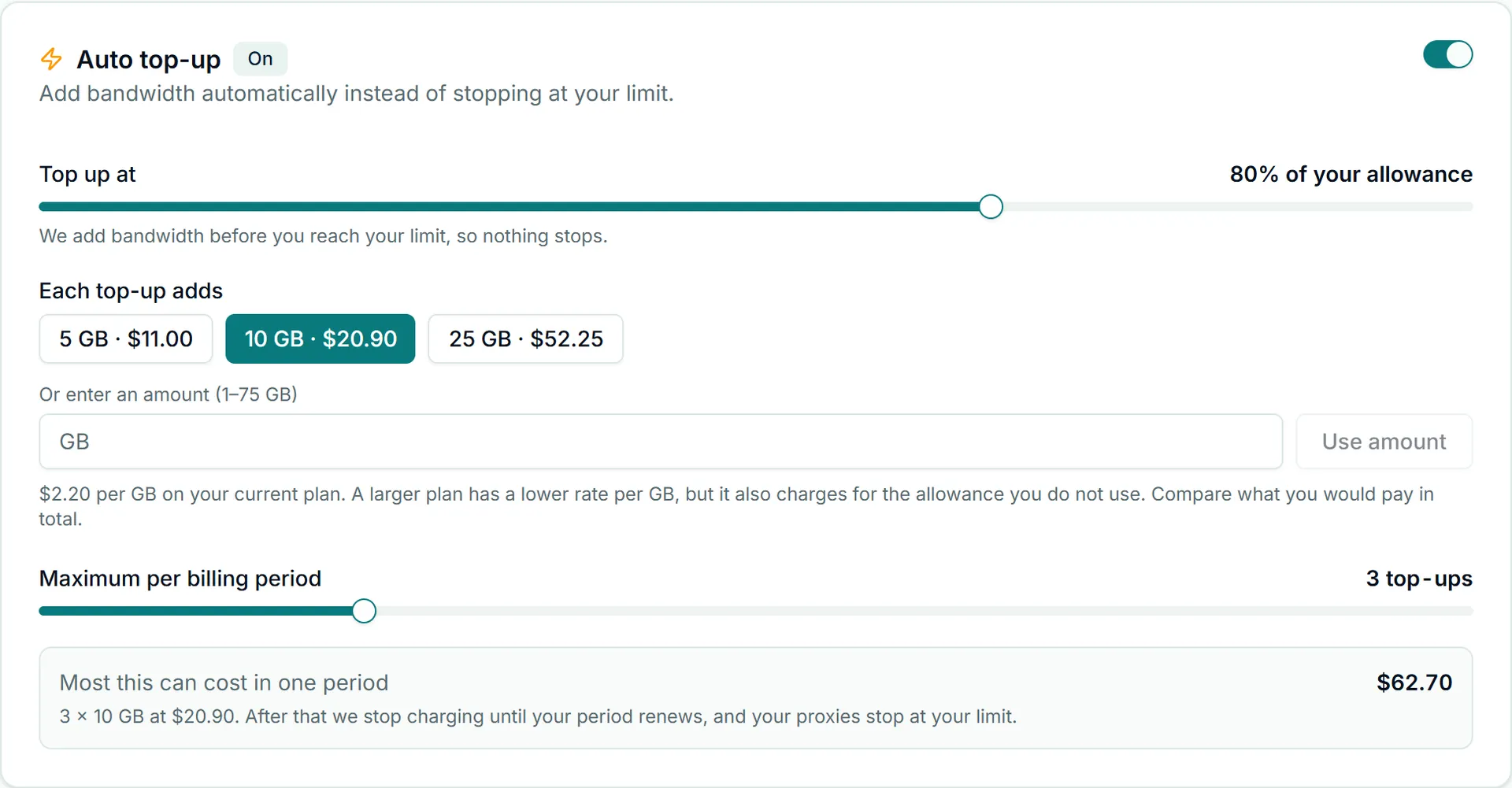
Auto top-up buys a bandwidth pack on your default saved card when usage reaches a threshold you choose. How it behaves, and which plans can use it, is in bandwidth top-ups. Read the current state first:
curl -H "Authorization: Bearer $NODE4_API_KEY" https://node4.io/api/v1/auto-topup{
"success": true,
"data": {
"enabled": false,
"thresholdPercent": 90,
"addonId": "topup_20gb",
"maxChargesPerPeriod": 3,
"consecutiveFailures": 0,
"disabledReason": null,
"lastSucceededAt": null,
"planEligible": true,
"planIneligibleMessage": null,
"hasUsableCard": true
}
}planEligible and hasUsableCard tell you whether switching it on will work. Then send PUT /auto-topup with enabled, which is required, and any of the three optional settings:
curl -X PUT -H "Authorization: Bearer $NODE4_API_KEY" -H "Content-Type: application/json" \
  -d '{"enabled": true, "thresholdPercent": 85, "addonId": "topup_20gb", "maxChargesPerPeriod": 2}' \
  https://node4.io/api/v1/auto-topup
const res = await fetch("https://node4.io/api/v1/auto-topup", {
method: "PUT",
headers: {
Authorization: `Bearer ${process.env.NODE4_API_KEY}`,
"Content-Type": "application/json",
},
body: JSON.stringify({ enabled: false }), // switching off always succeeds
});
console.log(res.status, await res.json());The rules the server applies:
thresholdPercentandmaxChargesPerPeriodmust be integers. The threshold can be set from 50% to 95% of the allowance, andmaxChargesPerPeriodfrom 1 to 10, the same ranges the dashboard allows. A value outside its range is moved to the nearest allowed value, not refused, so read the response to see what was saved.maxChargesPerPeriodcaps how many packs can be bought in one billing period; there is no uncapped setting.addonIdis a pack id such astopup_20gbfromGET /addons, ortopup_<gb>gbfor a custom size. For auto top-up the size cannot be larger than your plan's own allowance, even whereGET /addonslets you buy a larger pack by hand. An id your plan does not offer is a400.- Switching on charges the account's default saved card. A card picked earlier in the dashboard is cleared, and card details are never sent or returned over the API. With no metered plan, no saved card, or an expired card, you get a
409whoseerrorsays which; add a card under Account Settings → Profile & Billing first. - Switching off always works, whatever state the plan or card is in.
- Any other field in the body is a
400that names it.
The response echoes the stored settings. After repeated declined charges auto top-up switches itself off; enabled then reads false with a disabledReason, and you switch it back on once the card is fixed.
Set usage alerts
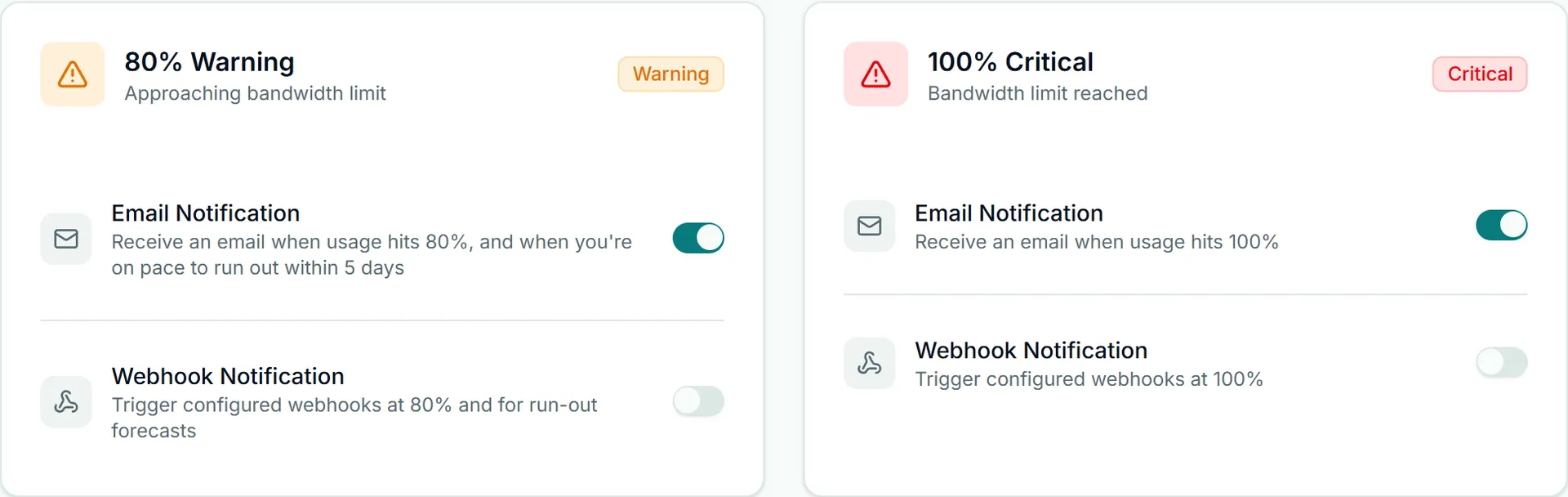
Usage alerts fire when bandwidth reaches 80% and 100% of your allowance, once per threshold per billing period. Each threshold has two switches you control: an email and the webhooks (usage.threshold_reached and bandwidth_threshold.*). The in-app notification is always sent. The same four switches are on the Usage Alerts tab of Account Settings, and a change in either place shows in the other. The 80% switches also cover the run-out forecast: one email and a usage.forecast_runout webhook per billing period when, at your recent pace, the allowance is estimated to run out within 5 days and before your plan renews. It is not sent while auto top-up is on and can still top up this period.
curl -H "Authorization: Bearer $NODE4_API_KEY" https://node4.io/api/v1/alerts{
"success": true,
"data": {
"threshold80Email": true,
"threshold80Webhook": true,
"threshold100Email": true,
"threshold100Webhook": true,
"thresholds": [80, 100]
}
}Send only the switches you want to change. This keeps both webhooks and turns off the 80% email, for a team that handles the warning in its own tooling:
import json, os, urllib.request

req = urllib.request.Request(
    "https://node4.io/api/v1/alerts",
    method="PUT",
    headers={
        "Authorization": "Bearer " + os.environ["NODE4_API_KEY"],
        "Content-Type": "application/json",
    },
    data=json.dumps({"threshold80Email": False}).encode(),
)
with urllib.request.urlopen(req) as resp:
    print(json.load(resp)["data"])
Every value must be a boolean, an unknown field is a 400, and an empty body is refused. Turning a webhook switch off stops both webhook families for that threshold. To receive the events, register an endpoint as shown in receiving Node4 webhooks.
A nightly billing check
Combining the reads gives a check that catches billing problems before they become an outage: auto top-up switched off by failed charges, a card that expired, or credit sitting unused on a card-paid account. Run it once a day with a read:subscription and read:billing key:
# billing_check.py
import json, os, urllib.request

BASE = "https://node4.io/api/v1"
HEADERS = {"Authorization": "Bearer " + os.environ["NODE4_API_KEY"]}

def get(path):
    with urllib.request.urlopen(urllib.request.Request(BASE + path, headers=HEADERS)) as r:
        return json.load(r)["data"]

topup, credit = get("/auto-topup"), get("/billing/credit?limit=5")
problems = []
if topup["disabledReason"]:
    problems.append("auto top-up was switched off: " + topup["disabledReason"])
if topup["enabled"] and not topup["hasUsableCard"]:
    problems.append("auto top-up is on but no usable card is saved")
if credit["balanceCents"] > 0:
    problems.append(f"{credit['balanceCents']} cents of credit; it is spent only on Bitcoin payments")
print("\n".join(problems) or "billing OK")
Pair it with a renewal.failed webhook for the event that matters most, a renewal that did not go through.
When something does not work
| Answer | Meaning and next step |
|---|---|
401 | The key is missing or wrong. Check the Authorization: Bearer header. |
403 naming a permission | The key lacks the scope in the table at the top. Create a key that has it. |
404 Invoice not found | The id is not one of this account's invoices. List them first. |
409 on PUT /auto-topup | A precondition you can fix: no plan with a bandwidth allowance, or no usable saved card. The error says which. |
429 | Rate limited. Wait for Retry-After seconds and retry. |
For changing plans or canceling, which the API does not do, see subscription management. Plan prices and allowances are on the pricing page.